Creating a CMP entity bean from a table is very easy to do using the UML Modeler;
you drag the table from the Navigator onto the UML diagram.
To create a CMP bean from a table:
- You'll be using the UML diagram again. To bring the UML diagram window to
the front, from the Window menu, choose hr_class_diagram.
- In the Navigator, expand the nodes for Connections,
Database, tutorial_jdbc_connection, HR, and then Tables.
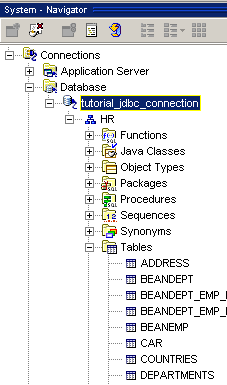
- Click on DEPARTMENTS and drag it to the UML
diagram.
- In the Create from Tables dialog, accept the default option for EJB
2.0 Entity Beans. Click OK.
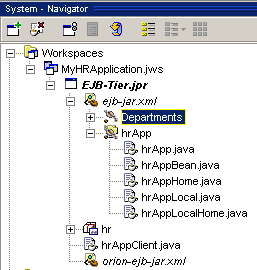
The new CMP bean appears on the UML diagram.
Notice that a new node, Departments, appears in the Navigator as well.
- On the UML diagram, you may want to resize the bean so that it will be easier
to work with.

