
Contents

Previous

Next
| Oracle Help Overview | Contents | Previous | Next |
|---|
The OHJ user interface has two main parts, as shown in Figures 1 and 2. A navigator window (labeled number 1 in Figure 1) includes controls for finding topics. The topic window (2) displays HTML content.
Figure 1: Navigator and Topic Windows
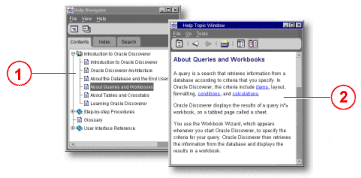
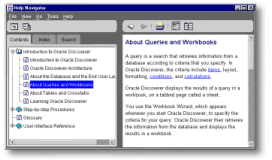
Users can dock the windows, so they appear together as panes in a single window (Figure 2), or undock them so they appear in separate windows (Figure 1).
Figure 2: Windows Docked
Copyright © 1996, 2004, Oracle. All rights reserved.